Move curated item sets and workflow definitions between environments as JSON configs.
Updated 5 June 2026·Task guide
Outcome
You can package a repeatable release scope as a bundle, export workflow or bundle configuration as JSON, and import it on another site without rebuilding everything manually.
Video walkthrough
▶
Video walkthrough coming soon.
The YouTube embed will appear here.
Risk level
Medium. Portable configs can carry wrong scope. Reconnect remotes/groups per environment.
Before you start
The source workflow or bundle has clear IDs and labels.
Remote IDs and group IDs may differ on the target and should be reselected after import.
The JSON config is reviewed before importing.
Steps
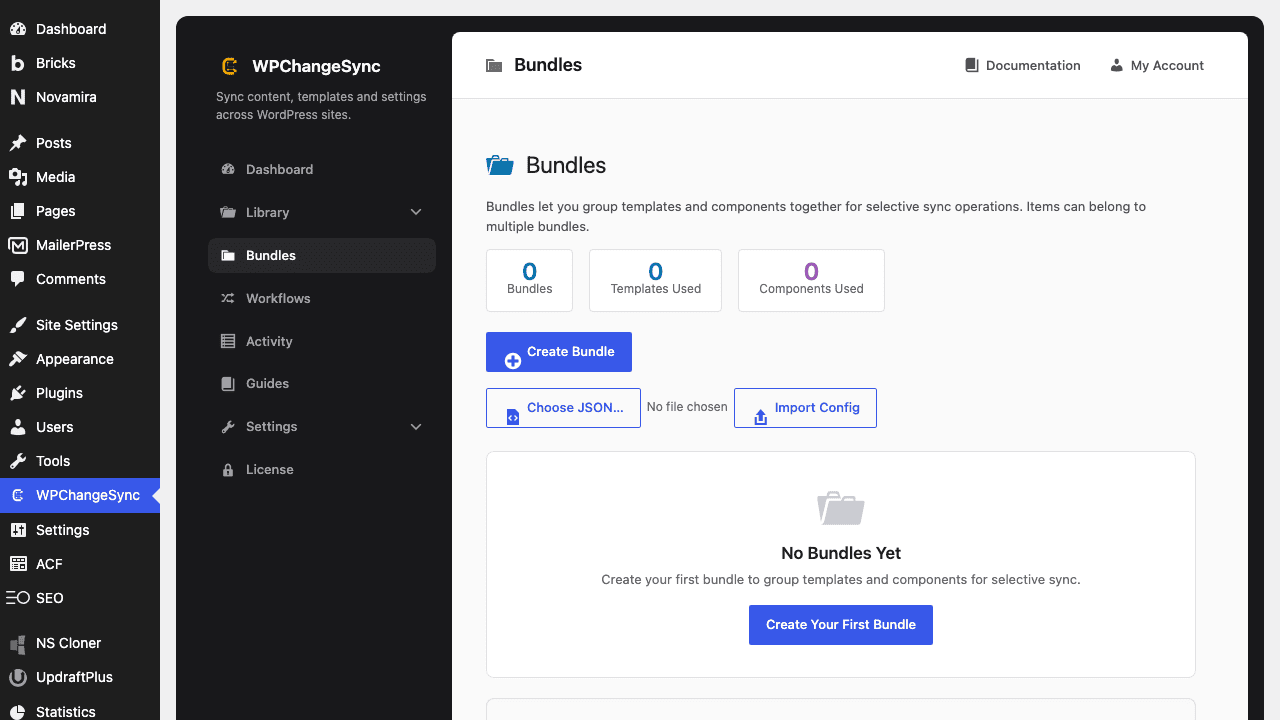
Create a curated bundle Group templates, components, settings, media, fields, or other integration items that ship together.
Use bundles as workflow shortcuts In workflow steps, use the optional bundle picker only when that curated scope is intended.
Export the config Use Export Config from bundle/workflow editors or list pages.
Import on the target site Validate the job_type field and create/update the corresponding bundle or workflow.
Reconnect environment-specific targets Reselect remotes, groups, and storage settings that differ on the target environment.
Screenshots
Bundles: Package Content for Reuse
Configs are not credentials
Do not put Application Passwords, webhook tokens, or license secrets into portable JSON configs.
Code basis
WPChangeSync includes bundle and workflow config export/import actions, validation of job_type, and create/update behavior for imported definitions.
$pathstringRequired
Absolute path of the directory to write the snapshot to.
$modestringOptionaldefault: two-way
Sync direction — push, pull or two-way.
$gitboolOptionaldefault: false
When true, commits the snapshot to the repository after writing.