Push approved changes from staging to production with dry runs and activity checks.
Updated 5 June 2026·Task guide
Outcome
Staging becomes the source of approved changes and production receives only the selected payload through an authenticated remote push.
Video walkthrough
▶
Video walkthrough coming soon.
The YouTube embed will appear here.
Risk level
High. Production write path. Require dry run, backup, conflict strategy, and verification.
Before you start
WPChangeSync is active on both sites.
Production uses HTTPS.
You have an admin-capable Application Password for production.
Production is configured as a remote on staging.
Steps
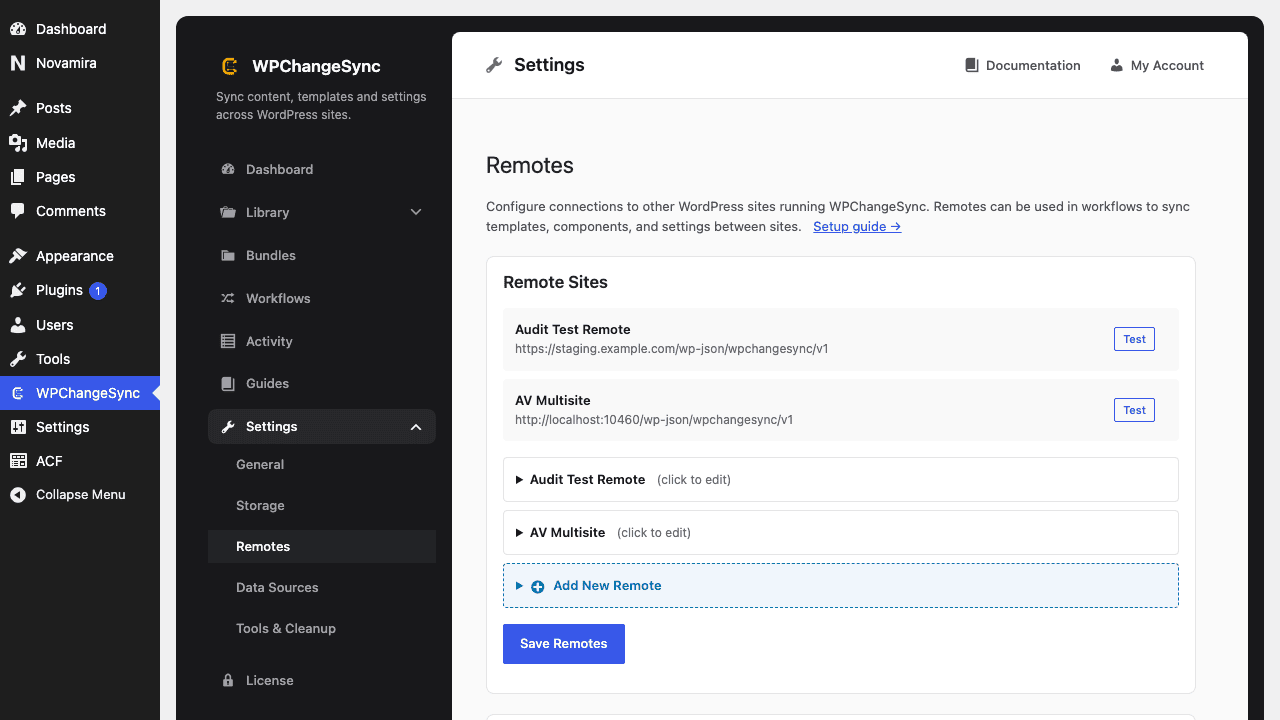
Add production as a remote On staging, open Config -> Remotes and add the production URL and credentials.
Test the connection Confirm /info and compatibility checks pass before creating a workflow.
Choose scope For low-risk deploys, push templates/components first. Add settings, fields, media, or pages only when the release needs them.
Run dry run Preview what production will receive.
Push during a release window Execute the workflow, then inspect Activity on both sites.
Verify production Open affected templates/pages and confirm media, global classes, and settings resolved correctly.
Screenshots
Set Up Production as a Remote
wp wpchangesync workflow run push-to-production --mode=dry_run
wp wpchangesync workflow run push-to-production
Avoid broad overwrite on production
Use selected scope and explicit conflict behavior. Include backups and approval gates for risky production moves.
Verify and recover
After completing this guide, verify the result in Activity and on the target site. Keep the pre-change export or backup until the release has been accepted. If anything looks wrong, stop further syncs, restore the affected item or integration from backup, and re-run with a narrower scope or safer conflict strategy.
How to find the workflow ID
Open Workflows in the admin UI and inspect the workflow details, or run wp wpchangesync workflow list. Use the ID from that list in workflow show and workflow run commands.