Docs/Audit & Activity

Audit & Activity

Use activity logs, workflow runs, and debug output to understand what changed.
Updated July 2026·WPChangeSync 2.1

Activity as the first troubleshooting surface

Activity is the first place to look when something did not land as expected. It records sync operations, workflow runs, import and export outcomes, batch jobs, and configuration changes, each with a timestamp, a type, the details, and a pass or fail status.

Three views split it up: All Activity for everything in one stream, Sync Operations for transfers alone, and Audit Trail for the compliance-oriented record. A search box and filter narrow long logs, and Export CSV pulls the log out for a report or a handover.
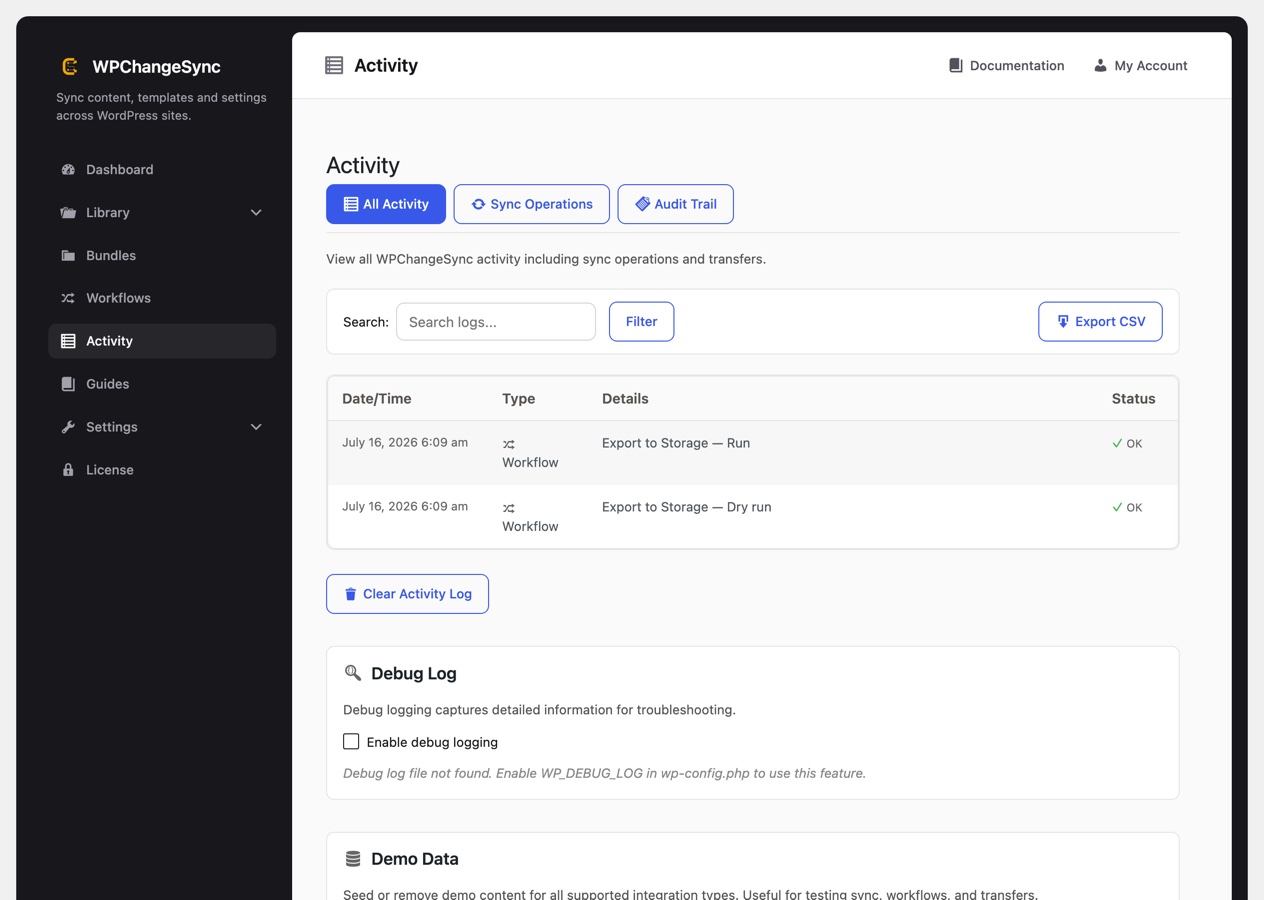
The Activity screen showing All Activity, Sync Operations and Audit Trail views
Activity, with the workflow runs of an export logged as OK. Debug logging is toggled further down the same screen.

Two extras live further down the same screen. A debug log toggle, covered below, and a demo data seeder that can create and remove sample content across the supported integration types. The seeder is the safest way to try sync, workflows and transfers on a site without touching anything real.

What gets inspected

  • Recent sync operations and whether each one succeeded.
  • Workflow runs, including which step failed and any approval state.
  • Batch job progress, status, and cleanup. Finished element-level jobs are pruned after a week.
  • Configuration changes, which is what makes the audit trail useful beyond debugging.
  • REST import failures. These are deliberately sanitised for the caller, so the detail lives on the receiving site.
  • PHP-level fatal errors, when something failed below the plugin.

Audit exports can leave IP addresses out, which is usually what you want when handing a log to a client or attaching it to a GDPR record. CSV output is also sanitised so spreadsheet formulas cannot be injected through logged values.

Debug flow

Work outward from the plugin:

  1. Activity first. The status column usually tells you whether this was a permissions problem, a connection problem, or a data problem.
  2. The workflow run detail next, which names the step that failed rather than just the run.
  3. Debug logging if you need more. The toggle sits on the Activity screen itself, and it needs WP_DEBUG_LOG enabled in wp-config.php to write anything. Output goes to wp-content/debug.log.
  4. The PHP error log last, for fatals or when a sanitised remote response is hiding the real cause.

Turn debug logging back off on production once you are done, and for remote sync confirm credentials and that both sites run compatible plugin versions before retrying.

wp wpchangesync status
wp wpchangesync config show
wp wpchangesync workflow show <workflow-id>

Reference checklist

When a remote import error comes back sanitised, the useful diagnostics are on the target site: open its Activity screen and, if needed, its PHP error log. A failed workflow now reports failure honestly in all three places (the dialog, the webhook response, and the CLI exit code), so a green result can be trusted.